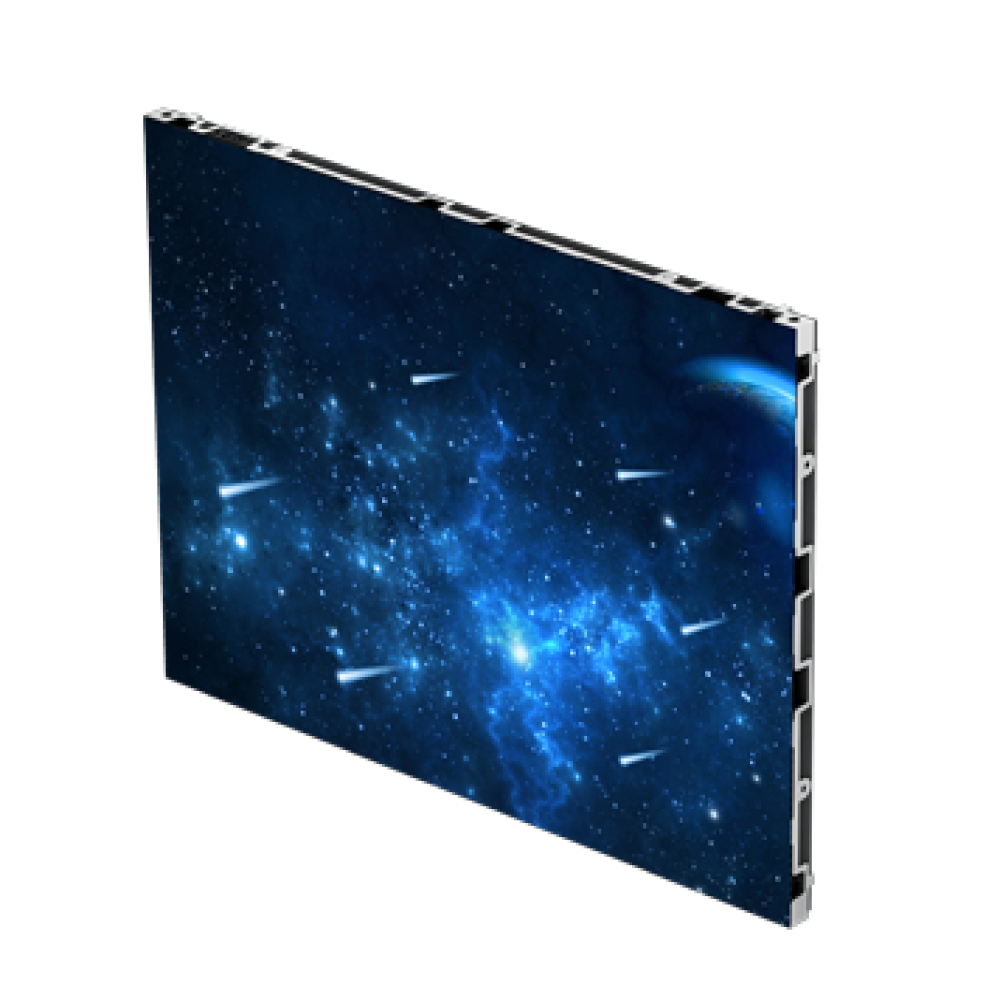
The boardroom display decision used to be a choice between a projector and a tiled LCD video wall. Neither was great: projectors faded under ambient light and demanded a dark room, and LCD tiling put bezels across every image at a price that only made sense for control rooms. Fine-pitch LED changed that. Today a seamless LED wall is specified for huddle rooms as small as twelve square meters and auditoriums seating several hundred — and, as our a href="https://www.itcleddisplay.com/6464.html"u2026 industry trends review/u/a notes, fine-pitch indoor LED is the fastest-growing segment in commercial AV.
Growth attracts buyers, and it also attracts confusion. This guide puts the whole decision in order: which display technology actually fits the room, what pixel pitch the seating demands, how big the screen should be, what brightness and eye-comfort specs matter in a room people sit in for hours, how packaging (SMD or COB) changes the ownership experience, and how the wall connects to the laptops, video codecs and wireless-casting workflows a meeting really runs on. It is written for the person who signs the purchase order — facilities managers, AV integrators and procurement teams — not for screen engineers.
img class="alignnone size-full wp-image-6597" src="https://www.itcleddisplay.com/wp-content/uploads/2026/11/2026-11-1359.png" alt="" width="1536" height="864" /
h2strongbFirst decision: is LED even the right technology for the room?/b/strong/h2
Modular LED is not automatically the answer for every meeting space. Four technologies compete for the wall at the front of a conference room, and each has a natural territory.
table
tbody
tr
tdstrongbTechnology/b/strong/td
tdstrongbStrengths/b/strong/td
tdstrongbWeaknesses/b/strong/td
tdstrongbBest fit/b/strong/td
/tr
tr
tdModular fine-pitch LED/td
tdSeamless image, custom sizes, custom aspect ratios, high brightness, long life/td
tdHigher upfront cost than a single panel; needs correct pitch selection/td
tdBoardrooms, auditoriums, command and briefing rooms, lobbies, any room where the wall is a statement/td
/tr
tr
tdAll-in-one conference display (single cabinet)/td
tdFixed sizes, simple installation, integrated system/td
tdFixed sizes cap the screen at what fits through the door and onto the wall/td
tdSmall and mid-size rooms with standard video content/td
/tr
tr
tdLaser projector + screen/td
tdLowest cost per diagonal meter; invisible hardware when idle/td
tdWashes out under ambient light; lamp/laser decay; shadow-casting presenters/td
tdDark-controlled training rooms, low-usage rooms/td
/tr
tr
tdTiled LCD video wall/td
tdFamiliar technology, 24/7 rated panels/td
tdBezels between tiles; glossy glass; fixed 16:9 grid/td
tdUtility monitoring walls where bezels are acceptable/td
/tr
/tbody
/table
Read the table as a filter. If the room is small and the content is standard slides and video calls, an all-in-one display is usually the economical answer. If the room matters — executive briefings, investor presentations, a flagship lobby, a room that appears on camera — modular LED wins on seamlessness, brightness and the freedom to size the wall to the architecture. For a deeper comparison of LED against projection in presentation spaces, including the churches-and-worship angle of the same question, see our a href="https://www.itcleddisplay.com/6593.html"uLED screen buying guide/u/a companion article.
img class="alignnone size-full wp-image-6596" src="https://www.itcleddisplay.com/wp-content/uploads/2026/11/2026-11-1374.png" alt="" width="2048" height="1536" /
h2strongbStep 1: Viewing distance sets the pixel pitch/b/strong/h2
The rule is identical to every direct-view LED project: match the pixel pitch to how close the nearest viewer sits. Sit closer than the optimal distance and pixels resolve into dots; go finer than needed and the budget is wasted on resolution nobody can see. The optimal distance in meters is roughly the pitch figure in millimeters multiplied by one to three.
Conference rooms are harsher than sanctuaries on this point, because the nearest chair is often two or three meters from the wall — not ten. That proximity is exactly why fine pitch matters here.
table
tbody
tr
tdstrongbNearest viewer distance/b/strong/td
tdstrongbRecommended pitch/b/strong/td
tdstrongbTypical conference application/b/strong/td
/tr
tr
td2 – 3 m/td
tdP0.9 – P1.2/td
tdSmall boardrooms, huddle spaces, screens used as desktop backdrops/td
/tr
tr
td3 – 5 m/td
tdP1.2 – P1.5/td
tdExecutive boardrooms, briefing rooms, video-conference main walls/td
/tr
tr
td5 – 8 m/td
tdP1.5 – P2/td
tdLarge meeting rooms, training rooms, multi-purpose corporate halls/td
/tr
tr
td8 – 15 m/td
tdP1.8 – P2.5/td
tdAuditoriums, town-hall spaces, presentation theaters/td
/tr
/tbody
/table
Two refinements. First, spreadsheets and code reviews drive text resolution demands up: a room where dense spreadsheets are presented daily justifies one pitch step finer than the table suggests. Second, if the room doubles as a broadcast or livestream studio — increasingly common for corporate communications teams — the camera again forces a finer pitch to avoid visible dot structure and moiré. Our detailed a href="https://www.itcleddisplay.com/2755.html"upixel pitch guide/u/a covers the underlying math.
Products anchor this in reality: the a href="https://www.itcleddisplay.com/212.html"uitc A series small-pixel-pitch display/u/a covers P0.9 / P1.25 / P1.56 for close-range boardroom walls, while the a href="https://www.itcleddisplay.com/2274.html"uP2 / P2.5 indoor series/u/a serves larger rooms and auditorium distances.
h2strongbStep 2: Screen size — let the content lead, not the wall/b/strong/h2
Conference walls fail in two opposite ways: too small to read from the far end of the table, or so large that presenters walk in front of their own content. Size the screen from what it shows.
ul
lib/bstrongbVideo conferencing faces and presentation slides/b/strongfollow standard 16:9 framing — the reason 16:9-native cabinets such as the a href="https://www.itcleddisplay.com/2287.html"uC series 16:9 indoor display/u/a and the a href="https://www.itcleddisplay.com/702.html"u16:9 wall screen series/u/a dominate corporate installations. No scaling, no letterboxing, no dead margins./li
lib/bstrongbDashboards, control-room data and legacy 4:3 content/b/strongjustify custom proportions. The a href="https://www.itcleddisplay.com/701.html"u4:3 ratio cabinet series/u/a builds taller walls that put more rows of data at eye level — a common request from energy, transport and finance operators./li
lib/bstrongbReading distance:/b/strongfor presentation text, aim for a character height of roughly 1/25 of the distance of the most distant seat. A twelve-seat boardroom with the last chair at 6 meters needs characters about 24 cm tall; a 200-seat auditorium at 20 meters needs about 80 cm./li
/ul
table
tbody
tr
tdstrongbRoom type/b/strong/td
tdstrongbDeepest viewing distance/b/strong/td
tdstrongbSensible LED wall size (16:9)/b/strong/td
tdstrongbSuggested pitch/b/strong/td
/tr
tr
tdHuddle room (4–8 seats)/td
td3 – 4 m/td
td2 × 1.1 m to 3 × 1.7 m/td
tdP0.9 – P1.2/td
/tr
tr
tdBoardroom (10–16 seats)/td
td5 – 6 m/td
td3 × 1.7 m to 4 × 2.25 m/td
tdP1.2 – P1.5/td
/tr
tr
tdLarge meeting / training room (20–50 seats)/td
td8 – 12 m/td
td4 × 2.25 m to 6 × 3.4 m/td
tdP1.5 – P2/td
/tr
tr
tdAuditorium / town hall (50–300 seats)/td
td12 – 20 m/td
td6 × 3.4 m and larger/td
tdP1.8 – P2.5/td
/tr
/tbody
/table
One structural note: confirm the wall can physically receive the screen. A flush-mounted LED wall is only a few centimeters deep, which is exactly why it succeeds where a rear-projected system needs a room behind the wall — but the mounting surface still needs structural verification, and the screen edges should be detailed with a frame or trim kit so the installation reads as architecture rather than hardware.
h2strongbStep 3: Brightness and eye comfort for rooms people sit in for hours/b/strong/h2
A conference wall is watched at close range for hours, so brightness is a comfort specification, not a maximum-output contest. For lighting-controlled meeting rooms, roughly 300 to 600 nits is the comfortable band; rooms with daylight or glass walls need up to 800. What separates a good corporate screen is the control around that band: smooth manual dimming, scheduled dimming for typical meeting hours, and ideally an ambient light sensor. Auto-dimming also trims operating power — our a href="https://www.itcleddisplay.com/2649.html"uLED energy-saving guide/u/a explains the common-cathode architectures behind it.
Three comfort specs belong in the tender even though they never appear in a brochure screenshot:
ul
lib/bstrongbRefresh rate 3,840 Hz or higher./b/strongVideo calls are filmed from both ends; low refresh shows banding on every camera in the chain./li
lib/bstrongbLow blue light / flicker-free driving./b/strongAttendees sit two to four meters away for hours; flicker and harsh blue output cause fatigue that gets blamed on the meeting./li
lib/bstrongbWide viewing angle with stable color./b/strongLong tables put viewers at steep side angles; color shift at 60° off-axis reads as "cheap screen" instantly./li
/ul
h2strongbStep 4: SMD or COB packaging/b/strong/h2
In conference rooms the packaging decision is driven by proximity and cleanliness. SMD remains the cost-effective standard across mid pitches. COB — chip-on-board with a protective encapsulation layer — produces a seamless, impact- and moisture-resistant surface that is genuinely better suited to screens that people stand next to, touch, or clean with a cloth during daily room servicing. For P1.2 and finer pitches in executive spaces, COB is increasingly the default because it also improves contrast and eliminates the "pixel grain" visible at short distances.
The full trade-offs, failure modes and cost logic are compared in our a href="https://www.itcleddisplay.com/6472.html"uSMD vs. COB guide/u/a. The short version for a meeting room: if viewers stay beyond three meters and nobody touches the screen, SMD delivers the same picture for less; if the wall is close-range, high-visibility and handled daily, COB earns its premium.
h2strongbStep 5: Connectivity — where meeting rooms differ from every other LED project/b/strong/h2
A church wall shows one content pipeline. A conference room wall is a switchyard: laptops, room PCs, wireless casting, video codecs, and occasionally a document camera or a local media player. The system around the screen decides whether meetings start on time.
ul
lib/bstrongbInputs and switching./b/strongCount the sources honestly — room PC, two or three HDMI table positions, wireless-casting receiver, codec output — and specify a video processor or controller with the inputs to match. Our guides to a href="https://www.itcleddisplay.com/1479.html"uLED video processors/u/a and to a href="https://www.itcleddisplay.com/2255.html"utelling video interfaces apart/u/a cover the signal chain and the connector zoo (HDMI, DP, USB-C, HDBaseT) in detail./li
lib/bstrongbWireless casting and BYOD./b/strongThe most-used input in a modern meeting is nobody's laptop at the lectern — it is whatever device walked in the door. Make sure the casting gateway outputs to the processor cleanly, with low latency for video and correct audio routing to the room's speaker system./li
lib/bstrongbVideo conferencing integration./b/strongIf the room runs a codec, the wall is the far-end image surface. Low-latency processing avoids lip-sync drift; the wall's native resolution should be settable to the codec's output so there is no scaling artifact on faces./li
lib/bstrongbAudio still matters./b/strongLED cabinets are not speakers. Plan the room's audio (ceiling mics, DSP, speakers) in the same project, not as an afterthought — echo problems are diagnosed on the audio side but blamed on the "video wall"./li
/ul
h2strongbStep 6: Installation and daily operation/b/strong/h2
Two installation details dominate corporate LED projects. First, a href="https://www.itcleddisplay.com/2617.html"ufront-serviceable design/u/a: boardroom walls are flush to structure with no rear corridor, so every module, power supply and receiver card must be serviceable from the front. Confirm this in writing before purchase — retrofitting front service onto a rear-service design is not a thing. Second, acoustics and heat: meeting rooms are quiet rooms, so specify low-noise or fanless power designs, and verify the wall cavity can dissipate heat for rooms where the screen runs all day. The same thermal discipline that extends lifespan in 24/7 control rooms applies here.
Operationally, decide who owns the wall: IT should be able to monitor cabinet status and push firmware from a networked management platform, and the room should fail gracefully — a single failed cabinet should never take a board meeting dark. Spare modules on site (2–3%) turn that scenario into a five-minute swap.
img class="alignnone size-full wp-image-6595" src="https://www.itcleddisplay.com/wp-content/uploads/2026/11/2026-11-1399.png" alt="" width="2048" height="1536" /
h2strongbThe conference room LED display checklist/b/strong/h2
ol
liPitch matched to the nearest seated viewer (P0.9–2 under 3 m; P1.2–P1.5 for 3–5 m; P1.5–P2 for 5–8 m)./li
liScreen size derived from farthest-seat text math and 16:9 content framing./li
liBrightness 300–600 nits with smooth dimming and ideally ambient-light sensing./li
liRefresh rate 3,840 Hz+; flicker-free, low-blue-light driving for close-range comfort./li
liCOB considered for P1.2-and-finer, high-visibility or frequently handled walls./li
liVideo processor input count matches the real source list, with low-latency mode for codecs./li
liWireless casting path verified end-to-end with a real laptop and a real meeting./li
liFront serviceability confirmed in writing; mounting wall structurally verified./li
liNetworked monitoring and spare modules (2–3%) in the service plan./li
liRoom audio designed in the same project as the wall./li
/ol
h2strongbFrequently asked questions/b/strong/h2
h3strongbWhat pixel pitch is best for a conference room LED display?/b/strong/h3
Match pitch to the nearest viewer: P0.9–P1.2 for distances under 3 meters, P1.2–P1.5 for 3–5 meters, P1.5–P2 for 5–8 meters. Dense spreadsheet-driven rooms and broadcast-enabled rooms justify stepping one pitch finer.
h3strongbIs an LED wall better than a projector in a meeting room?/b/strong/h3
In rooms with ambient light, daily usage and video conferencing, yes — LED holds full brightness with the lights up, needs no consumables, and shows far-end faces at reference quality. Projectors remain sensible only in dark, low-usage training rooms.
h3strongbHow big should the LED wall be in a 12-person boardroom?/b/strong/h3
For a typical boardroom with the farthest seat 5–6 meters out, a 3 × 1.7 m to 4 × 2.25 m wall at P1.2–P1.5 delivers comfortable text reading and full-size video-call imagery.
h3strongbHow long does a fine-pitch LED wall last?/b/strong/h3
Quality panels are rated around 100,000 hours to half brightness — roughly a decade of business-hours use. Lifespan depends most on temperature and brightness discipline, which is why fanless design and scheduled dimming are worth specifying.
h3strongbCan the wall work with Zoom Rooms, Teams Rooms and wireless casting?/b/strong/h3
Yes. The wall is simply the display surface; the codec or casting gateway feeds the video processor. Confirm the processor's input count, low-latency mode and the ability to set the wall's resolution to match the codec output — that is the whole integration.
img class="alignnone size-full wp-image-6594" src="https://www.itcleddisplay.com/wp-content/uploads/2026/11/2026-11-1328.png" alt="" width="1600" height="1200" /
h2strongbFrom shortlist to purchase order/b/strong/h2
Conference room LED projects reward the same sequence every time: let the room's nearest seat set the pitch, let the farthest seat set the size, let the source list set the processor, and let the room's daily handling set the packaging. Suppliers who walk that sequence with drawings and a demo room are worth shortlisting; the rest are selling square meters.
If you are specifying a boardroom, auditorium or multi-room corporate rollout, browse the a href="https://www.itcleddisplay.com/productcat/indoor-led-display/"uitc indoor LED display range/u/a or a href="https://www.itcleddisplay.com/contact/"ucontact our team/u/a with your room drawings — we will return a pitch, size and system proposal matched to the way your meetings actually run.